Field Types
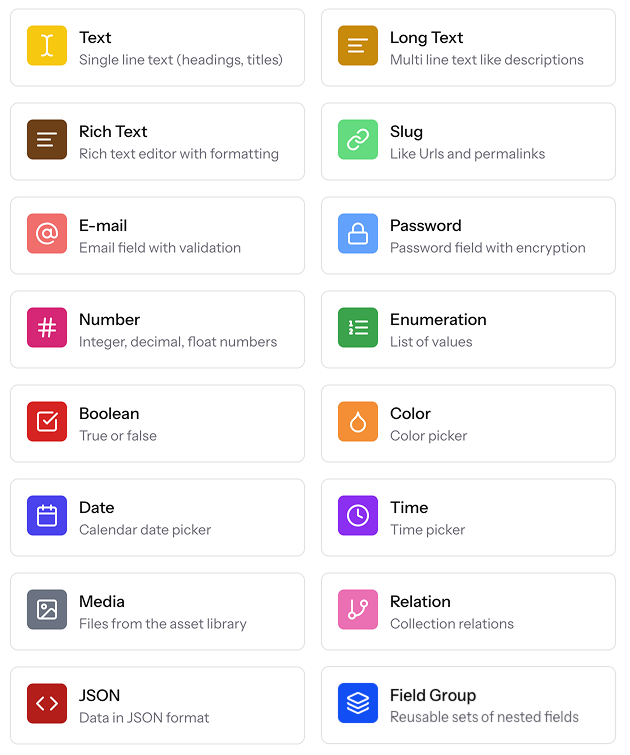
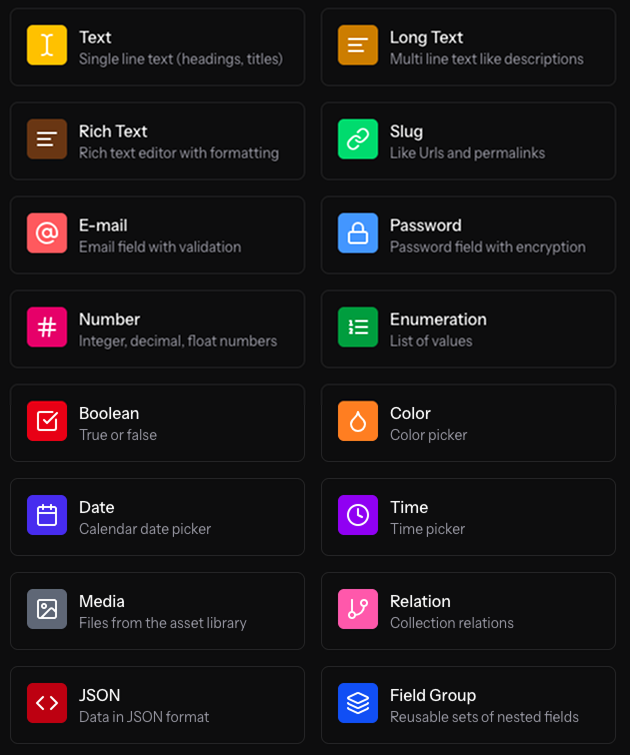
ElmapiCMS ships with a rich set of field types so you can model almost any kind of content. Below is a quick-look reference with the purpose of each type and common configuration options.
| Field Type | Purpose |
|---|---|
| Text | Single-line text such as headings or titles |
| Long Text | Multi-line plain text like descriptions |
| Rich Text | Formatted content — Lexical editor by default, optional markdown mode |
| Slug | URL-friendly string generated from another field |
| Stores an email address with validation | |
| Password | Secure password field (hashed in storage) |
| Number | Integers, decimals, or floats (min / max supported) |
| Enumeration | A fixed list of selectable values |
| Boolean | True / false toggle rendered as a switch |
| Color | Colour picker (HEX / OKLCH) with opacity support |
| Date | Calendar date (with timepicker and range options) |
| Time | Time-only picker |
| Media | Attach files from the Asset Library (images, docs, video) |
| Relation | Reference entries in another collection (one-to-one / one-to-many) |
| JSON | Store structured JSON data with optional schema validation |
| Field Group | Resusable sets of nested fields |
Validation & Display Options
ElmapiCMS lets you configure powerful validation logic and fine-tune how each field behaves in the editor and API.
Common validation rules
| Rule | What it does | Notes |
|---|---|---|
| Required | Prevents saving content when the field is empty. | For repeatable fields every item must have a value. |
| Unique | Ensures the value does not already exist in another entry of the same collection. | Disabled automatically when a field is marked repeatable and unavailable for non-scalar types (Boolean, Enumeration, Media, etc.). |
| Min / Max / Between | Limits the number of characters (text) or the numeric range (number). | Pick Between, Min or Max and enter values. |
| Type checks | Email, Number & Color fields include built-in format validation. | No extra toggle – they are always applied. |
Extra validation by field type
| Field | Extra rule | How it works |
|---|---|---|
| Enumeration | In list | Selected value(s) must exist in the option list you define. |
| Slug | URL safe & Unique | Auto-generates from a source field and runs unique validation if enabled. |
| Date / Time | Valid date | Backend rejects malformed dates / ranges. |
| Relation | Exists | Referenced entry must exist (and, if Include Draft is off, be published). |
| Media | Exists | Asset ID(s) must be present in the Asset Library. |
Custom messages – Each rule lets you supply a custom error message shown in both the CMS UI and API response.
Display & behaviour options
The Other Options panel in the Field Builder controls how a field appears in the editor, the content list and the public API.
| Option | Supported fields | What it affects |
|---|---|---|
| Repeatable Field | Most scalar fields (Text, Long Text, Number, Date, Time, Color, Slug, Email, Password) | Allows authors to add multiple values (⨁ / 🗑️ controls appear). Disables the Unique rule. |
| Hide in content list | All | Removes the column from the collection’s table view to declutter the UI. |
| Hidden in API | All | Omits the field from the REST payloads – useful for internal notes or secrets. |
Field-specific UI settings
| Field | Key options |
|---|---|
| Enumeration | • List – the allowed values • Allow multiple – switches the single select to a multi-select. |
| Date | • Include time picker – toggles HH:mm control.• Allow range select – lets editors pick start → end dates. |
| Media | Single File / Multiple Files radio – controls whether the field stores one or many asset IDs. |
| Relation | • Relation collection – pick the target collection (by slug; stored as collection id). • One-to-One / One-to-Many radio. • Include Draft – whether unpublished entries can be linked. |
| Slug | • Source field – choose which field to slugify. • Readonly – lock the input to prevent manual edits. |
| Color | Standard colour picker with opacity slider out of the box. |
| Rich Text | • Editor mode – lexical (default) or markdown.• API output – for markdown mode, outputFormat of html (rendered) or markdown (raw). Switching mode does not convert existing content. |
Field names must be kebab-case (e.g. author-name). Relation API writes send related entry UUIDs/ids only — not nested objects from a previous get. Cyclic relation nests return a stub instead of overflowing the JSON stack.