AI Headless CMS
Generate content, translate entries, rewrite with different tones, and manage your entire CMS through an AI chat assistant. Bring your own API key from OpenAI, Anthropic, or Google Gemini.
What is an AI Headless CMS?
An AI headless CMS combines the flexibility of API-first content management with artificial intelligence built directly into your workflow. Instead of copying text between your CMS and external AI tools, you get content generation, translation, and enhancement right where you write.
ElmapiCMS takes this further with a full AI chat assistant that can create projects, build collections, manage entries, and navigate the CMS on your behalf. Combined with inline editing tools and one-click entry translation, it is the most productive way to manage content.
See It in Action
Three powerful AI systems working together inside your CMS
AI Assistant — Chat with Your CMS
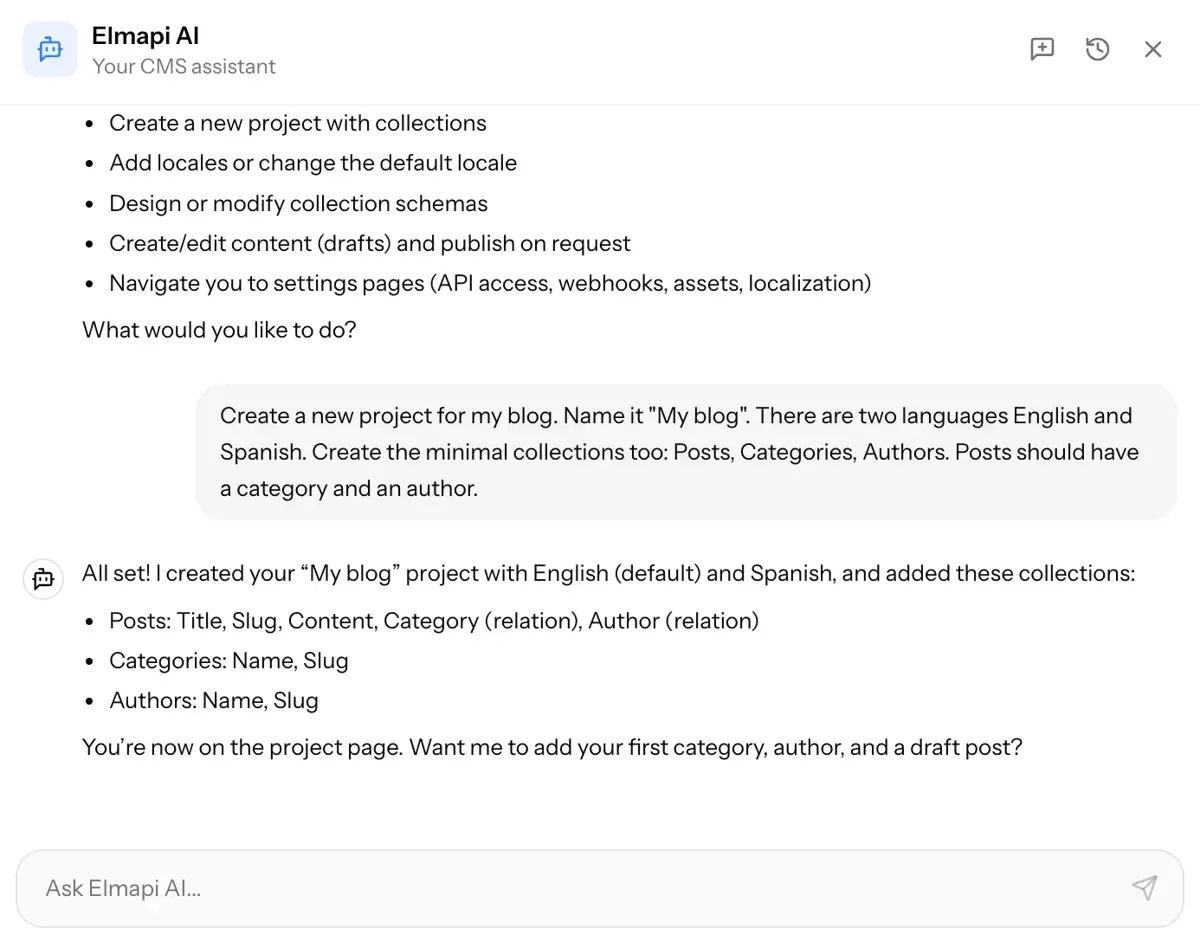
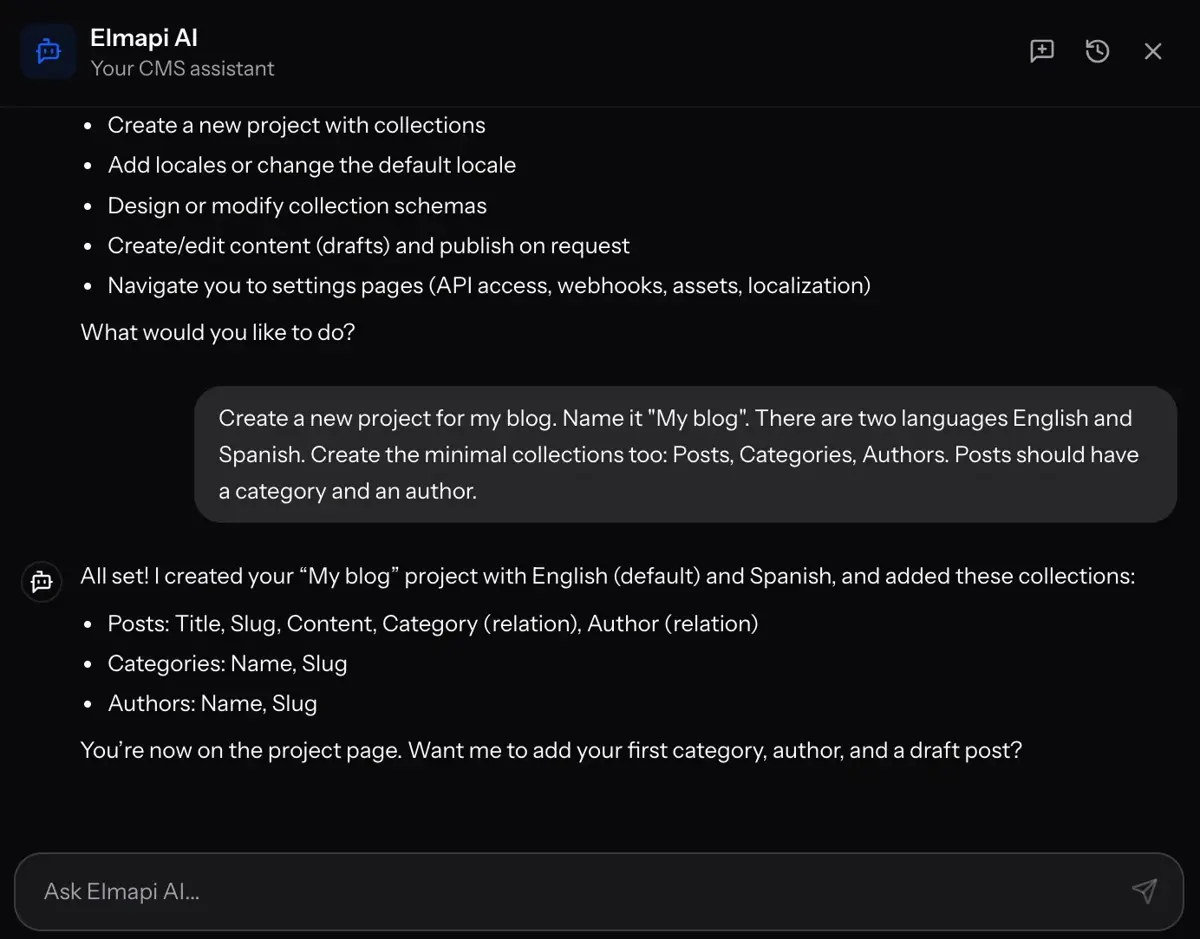
The AI assistant lives in a chat panel accessible from anywhere in the CMS. Ask it to create a project with collections, add fields with validations, create content entries, or navigate to any page. It shows you each step as it works.
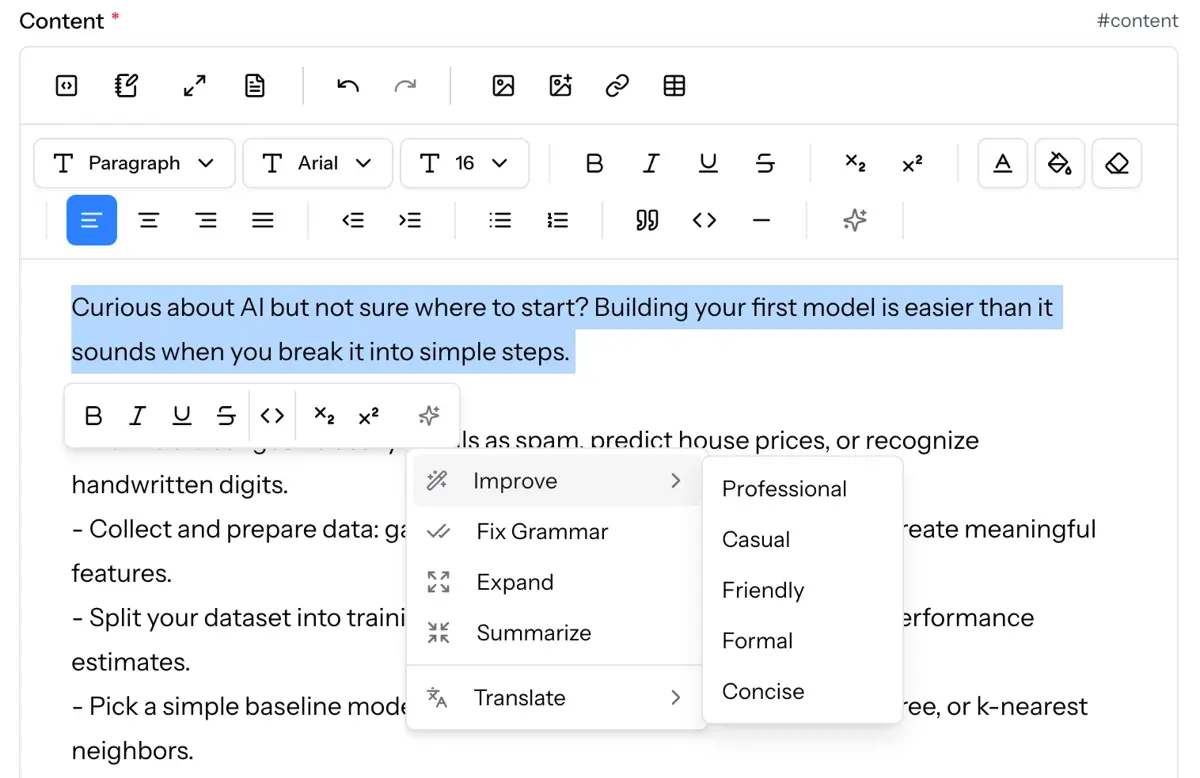
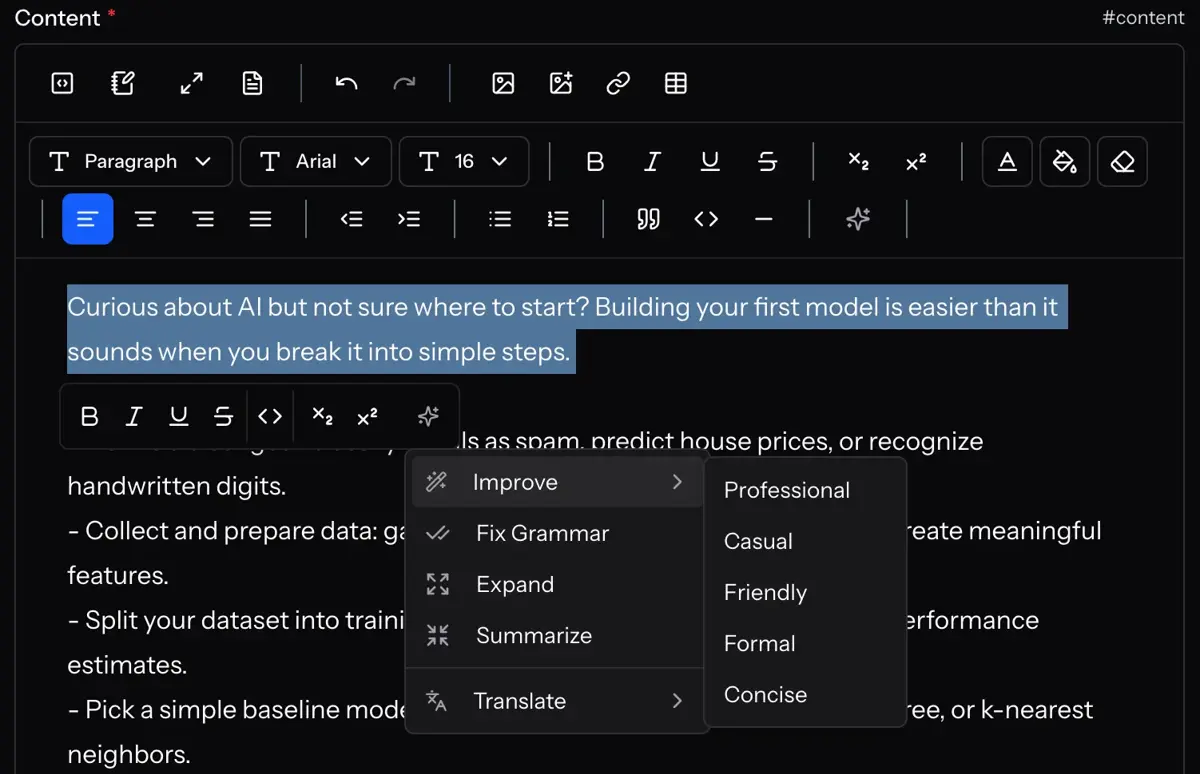
Inline Tools — AI Right in the Editor
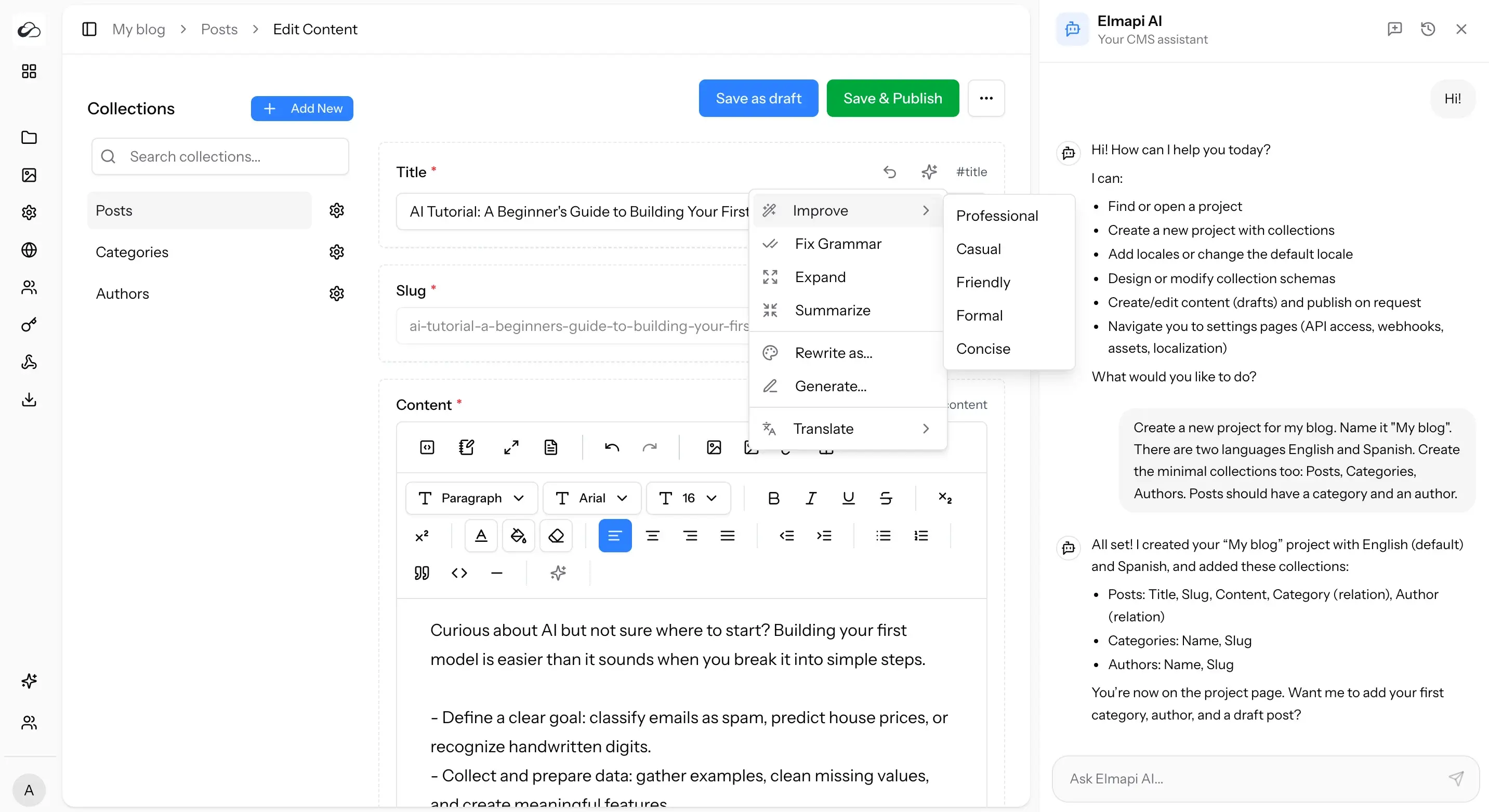
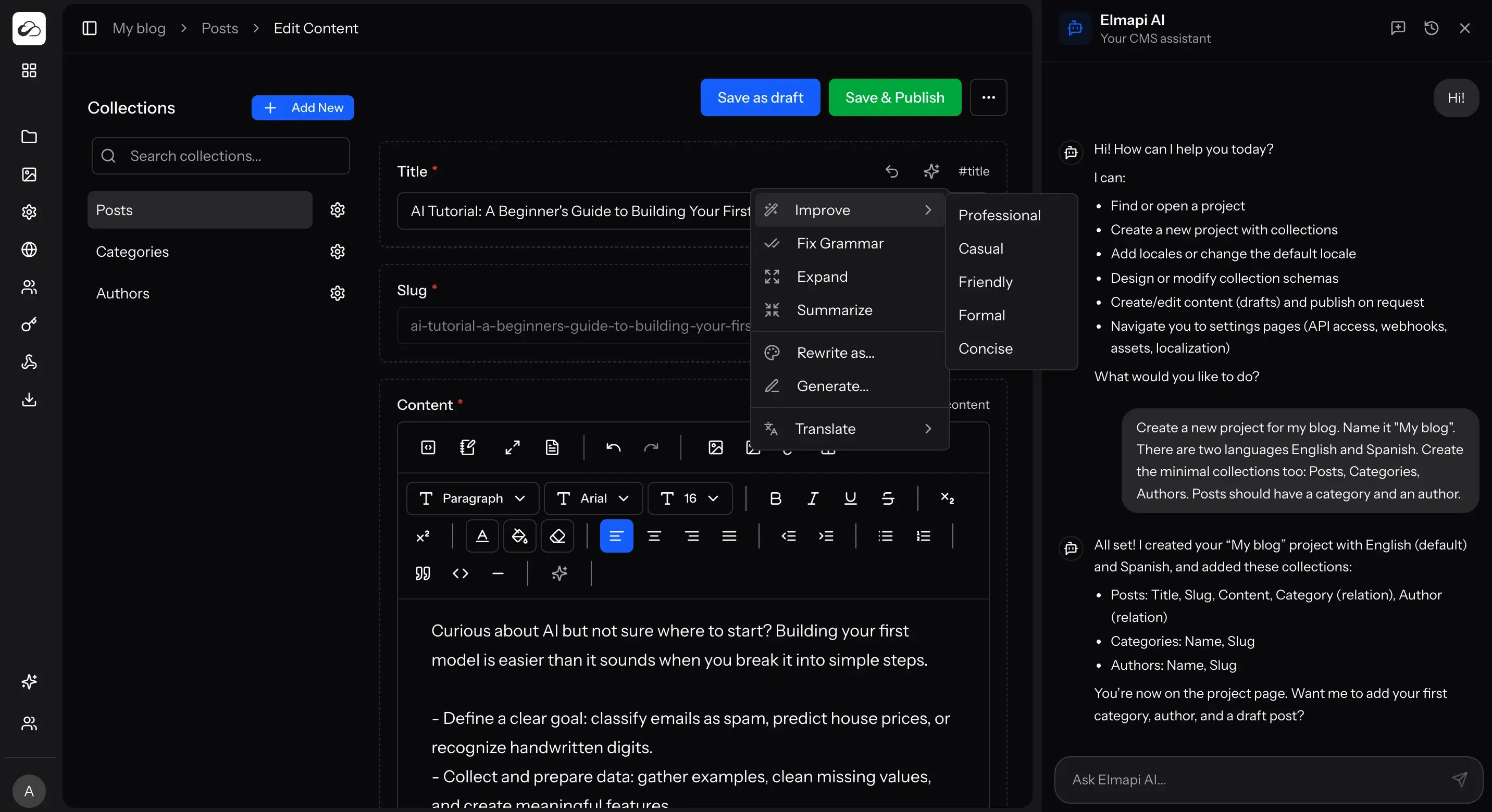
Click the sparkle icon on any text field to generate, rewrite, expand, summarize, translate, or fix grammar. Select text in the rich text editor to see AI actions in the floating toolbar. All tools stream output in real-time.
Entry Translation — One Click, Every Field
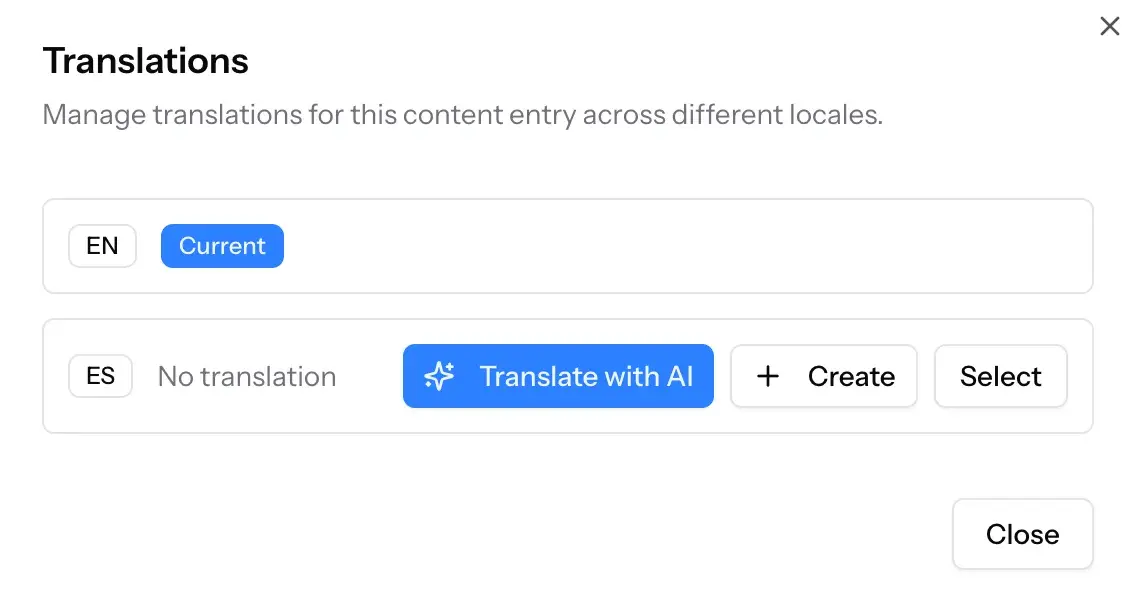
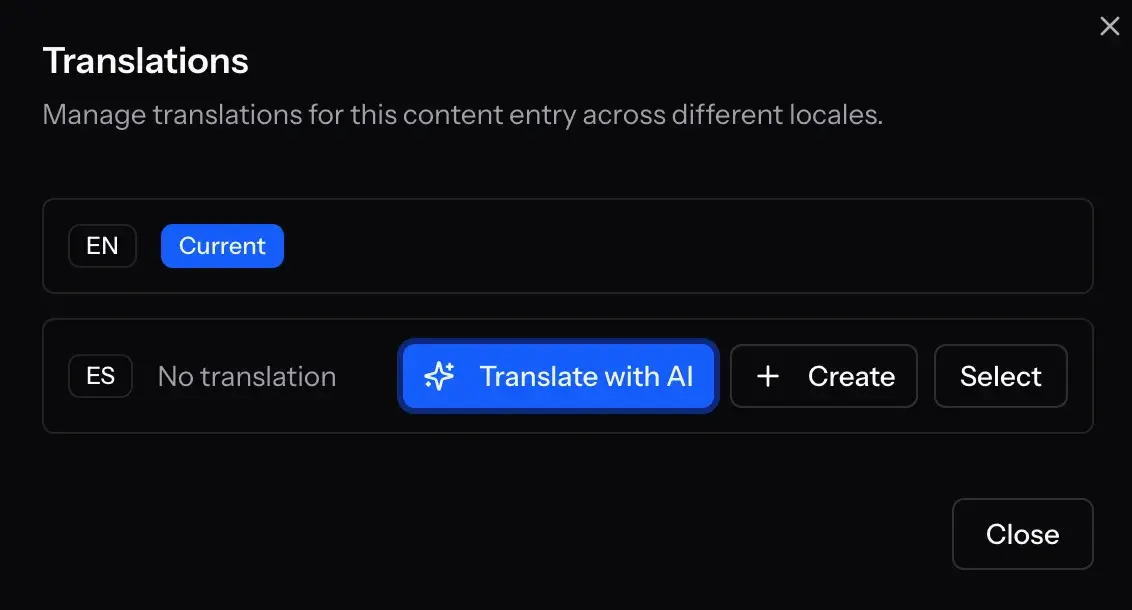
Open the Translations dialog on any entry and click "Translate with AI". The AI creates a new entry in the target locale, translates every text field while preserving HTML formatting, generates slugs, and copies media and relations.
All AI Capabilities
A complete set of AI tools for content teams
AI Chat Assistant
Create projects, build collections with fields, manage content entries, and navigate the CMS through natural conversation. The assistant understands your project structure and uses tools to make changes directly.
Generate Content
Write new content from a prompt in any text, long text, or rich text field. The AI considers your field labels, collection name, and other field values to produce relevant, contextual content.
Rewrite with Tone
Rewrite content as Professional, Casual, Friendly, Formal, or Concise. Or provide custom instructions like "make it more persuasive" or "simplify for a younger audience".
One-Click Translation
Translate entire content entries to any locale. AI translates all text fields, preserves rich text formatting, generates proper slugs, copies non-text fields, and links translations automatically.
Expand & Summarize
Turn brief notes into full paragraphs with Expand, or condense long content into key points with Summarize. Perfect for creating excerpts and meta descriptions.
Fix Grammar
Correct spelling, grammar, and punctuation in a single click without changing the meaning or style of your text.
Bring Your Own API Key
No vendor lock-in. Choose your provider, use your own key, switch any time. ElmapiCMS has no AI markup or hidden fees.
OpenAI
GPT-5, GPT-4o, GPT-4.1, and more
The most popular AI provider with a wide range of models from budget to premium.
Anthropic
Claude Opus, Sonnet, Haiku
Known for thoughtful, safe, and high-quality responses with strong reasoning.
Google Gemini
Gemini Pro, Flash, Flash-Lite
Competitive pricing with a generous free tier for testing and light usage.
AI Tools in Every Field
Every text, long text, and rich text field gets a sparkle button with AI actions. Select text in the rich text editor for even more options.
Use Cases
How teams use AI in their content workflow
Blog & Content Marketing
Generate first drafts, create variations for A/B testing, translate posts for international audiences, and produce content at scale.
E-commerce Catalogs
Write product descriptions, rewrite them in different tones for different markets, and translate catalogs to multiple languages.
Multi-language Sites
Translate entire entries to any locale with one click. AI preserves formatting and generates proper slugs for each language.
Documentation & Knowledge Bases
Generate technical documentation, expand brief notes into full articles, and fix grammar across all entries.
Why AI in Your CMS?
Save Hours Every Week
What used to take hours now takes minutes. Generate, edit, translate, and publish content faster.
Stay in Your Workflow
No switching between apps. AI is built into your CMS where you already create and manage content.
You Own Everything
Self-hosted CMS with your own API key. No vendor lock-in, no hidden fees, no data leaving your control.
MCP Server — AI Meets Your CMS
Connect Cursor, Claude Code, or any MCP-compatible tool directly to your ElmapiCMS instance. Manage collections, content, and assets through natural language.
~/.cursor/mcp.json
{
  "mcpServers": {
    "elmapicms": {
      "command": "npx",
      "args": ["@elmapicms/mcp-server"],
      "env": {
        "ELMAPI_API_URL": "https://your-domain.com/api",
        "ELMAPI_API_KEY": "your-api-key",
        "ELMAPI_PROJECT_ID": "your-project-uuid"
      }
    }
  }
}What's Next for AI
We are actively building new AI capabilities. Here is what is planned for upcoming releases.
Documentation Assistant
A separate AI mode for frontend integration help. Get code samples, SDK guidance, and API query building tailored to your project.
AI Image Generation
Generate images from prompts, create cover images from content, choose style presets, and save directly to your asset library.
AI Asset Management
Auto-generate alt text and captions, extract metadata, smart search assets by description, and bulk tag images.
Content Quality Analysis
Readability scoring, SEO suggestions, tone consistency checks, and completeness detection before publishing.
Bulk AI Operations
Translate, rewrite, or fix grammar across entire collections at once. Apply tone changes to all entries in one operation.
Smart Auto-fill
Auto-generate excerpts, meta descriptions, and suggested tags based on entry content. AI-powered related entry suggestions.
Content Scheduling
AI-suggested publish times, visual content calendar with AI-generated summaries, and deadline reminders for content review.
Custom Prompts Library
Save and reuse prompt templates, share them across your team, and attach default prompts to specific collections.
Frequently Asked Questions
What is an AI headless CMS?
An AI headless CMS is a content management system with built-in artificial intelligence. It combines API-first architecture with AI tools for content generation, translation, and enhancement. ElmapiCMS includes a chat assistant, inline editing tools, and entry translation.
Which AI providers are supported?
ElmapiCMS supports OpenAI (GPT-5, GPT-4o, GPT-4.1), Anthropic (Claude Opus, Sonnet, Haiku), and Google Gemini (Pro, Flash, Flash-Lite). You add your API key in the .env file and select your provider in the settings.
How much does AI cost?
ElmapiCMS has no AI markup or additional charges. You pay your provider directly based on usage. Budget models like GPT-4o mini or Gemini Flash cost fractions of a cent per request. Google Gemini also offers a free tier for testing.
Can AI translate content accurately?
AI translation provides high-quality results that maintain context, tone, and formatting. Rich text HTML is preserved during translation. For critical content, we recommend a quick human review, but AI translation dramatically speeds up the localization process.
Does the AI assistant require tool-calling support?
Yes, the chat assistant requires a model that supports tool calling (function calling). Most modern models support this. The inline content tools (generate, rewrite, translate) work with any text generation model.
Is my data sent to AI providers?
Only the content you explicitly send through AI features (chat messages, field text for rewriting, translation requests) is sent to your chosen provider. Your CMS data is not automatically shared. Since ElmapiCMS is self-hosted, you have full control over your data.
What is the MCP Server?
The MCP Server connects AI code editors like Cursor and Claude Code to your ElmapiCMS instance via the Model Context Protocol. It provides 17 tools for managing collections, fields, content, and assets through natural language. Install it from npm, add your API credentials, and your AI editor can create collections, write content, and manage your CMS directly.
Ready to Try AI in Your CMS?
Get ElmapiCMS, add your API key, and start generating content in minutes. One-time payment, full source code, no subscriptions.