The agency workflow that saves hours every week
You just landed your tenth client. Great news for revenue. Terrible news for your infrastructure.
Now you're maintaining 10 separate CMS installations. 10 servers to update. 10 databases to backup. 10 admin panels to remember passwords for. And when a security patch drops? You get to repeat the update process 10 times.
There's a better way.
Table of Contents
- The Multi-Installation Problem
- What Multi-Project CMS Actually Means
- Real Workflow: Managing 10 Clients
- Cost Comparison: Multi-Project vs Separate Installations
- Setting Up Your Multi-Client CMS
- Best Practices for Client Organization
- Common Concerns Addressed
- Conclusion
The Multi-Installation Problem
Let's do the math on managing 10 clients with traditional CMS setups:
With separate Strapi installations:
- 10 VPS instances at $10-20/month each = $100-200/month
- 10 database servers (or shared instances)
- 10 deployment pipelines to maintain
- 10 sets of credentials to manage
- Update time: 10 × 30 minutes = 5 hours per major update
Annual infrastructure cost: $1,200 - $2,400+
And that's just the financial cost. The mental overhead of context-switching between 10 different installations, remembering which client has which configuration, and troubleshooting issues across different server environments is exhausting.
What Multi-Project CMS Actually Means
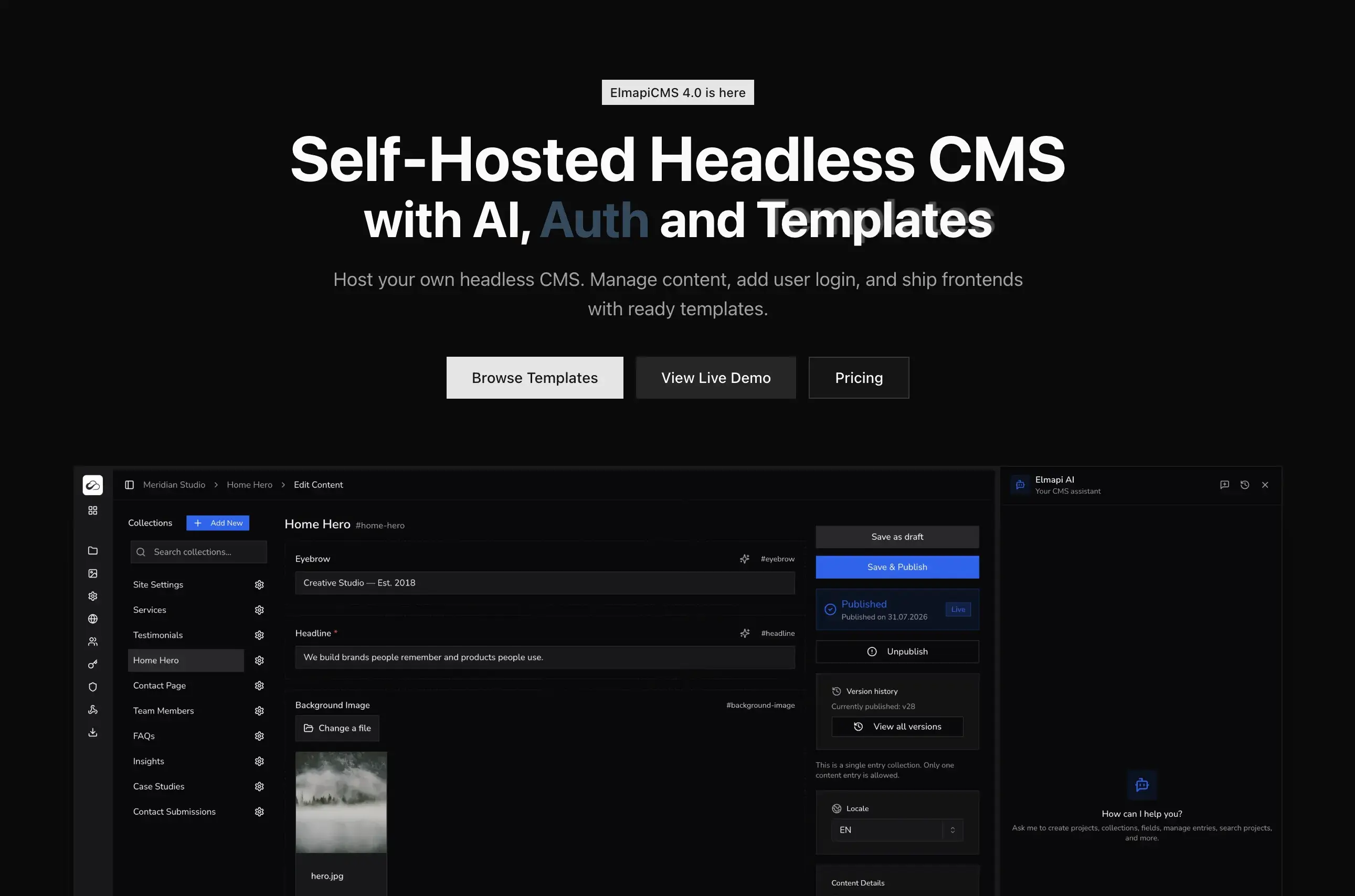
A multi-project CMS runs on a single installation but isolates each client's data completely. Think of it like a well-designed apartment building: one building, many units, but your neighbor can't walk into your living room.
How it works:
- One installation - You maintain a single CMS instance
- Isolated projects - Each client gets their own project with separate collections, API keys, and users
- Shared resources - The underlying infrastructure is shared, reducing costs
- Independent access - Clients can have their own login without seeing other projects
The result:
- One server to maintain
- One database to backup
- One update process
- 10 completely isolated client projects
Real Workflow: Managing 10 Clients
Here's how a typical day looks when you're managing multiple clients from a single CMS:
Morning: Quick Status Check
Log into your CMS once. From your dashboard, you can see all 10 projects. Check if any clients have reached out about content issues. All in one place.
Content Updates
Client A needs a new blog post section. Client B wants to update their team page. Client C needs a product added.
Instead of:
- Open browser tab for Client A's CMS
- Remember Client A's password
- Wait for it to load
- Make changes
- Repeat 10 times...
You:
- Click "Client A" in your project switcher
- Add the blog collection
- Click "Client B" in the same dashboard
- Update the team entry
- Click "Client C" in the same dashboard
- Add the product
Time saved: 20+ minutes just on login and context-switching.
API Key Management
A developer on Client D's frontend team needs API access. Instead of logging into a separate installation, you:
- Switch to Client D's project
- Generate a read-only API key
- Send it over
The key only works for Client D's content. No risk of cross-project access.
Security Update Day
A critical PHP or framework update is released.
Old way: Block out 3-4 hours. Update 10 servers. Test 10 installations. Handle 2-3 unexpected issues across different environments.
Multi-project way: Update once. Test once. Done in 30 minutes.
Cost Comparison: Multi-Project vs Separate Installations
Let's compare real costs for managing 10 client websites:
Option 1: Separate Strapi Installations
| Item | Monthly Cost |
|---|---|
| 10 VPS instances (2GB RAM each) | $100-200 |
| Database hosting | $0-50 |
| Backup storage | $10-20 |
| Monitoring/alerts | $20-50 |
| Total | $130-320/month |
Annual: $1,560 - $3,840
Plus your time for maintenance across 10 servers.
Option 2: Strapi Cloud
| Item | Monthly Cost |
|---|---|
| 10 projects × $18/month | $180 |
| Total | $180/month |
Annual: $2,160
Managed, but adds up quickly with each new client.
Option 3: ElmapiCMS Multi-Project
| Item | Cost |
|---|---|
| ElmapiCMS license | $149 (one-time) |
| 1 VPS (4GB RAM) | $20-40/month |
| Database | $0-10/month |
| Backup storage | $5/month |
| Monthly | $25-55/month |
Annual: $300-660 (plus one-time $149)
Year 1 savings vs separate installations: $900 - $3,000+
The math gets even better with more clients. Your 11th client costs $0 in additional CMS fees. Your 20th client costs $0. Your 50th client costs $0.
Setting Up Your Multi-Client CMS
Here's how to set up ElmapiCMS for multi-client management:
Step 1: Initial Installation
# Clone ElmapiCMS
cd ~/projects
git clone your-elmapicms-repo Elmapi3

# Install dependencies
cd Elmapi3
composer install
cp .env.example .env
php artisan key:generate

# Start with Docker
php artisan sail:install
./vendor/bin/sail up -d

# Run migrations
./vendor/bin/sail artisan migrate --seed
Step 2: Create Your First Client Project
- Log in to
http://localhost:8000 - Click "Create Project"
- Name it after your client (e.g., "Acme Corp Website")
- The project is now isolated and ready for configuration
Step 3: Configure Client-Specific Collections
Each client project can have completely different content structures:
Client A (Restaurant):
- Menu Items
- Locations
- Events
- Reviews
Client B (Law Firm):
- Practice Areas
- Team Members
- Case Studies
- Blog Posts
Client C (E-commerce):
- Products
- Categories
- FAQs
- Promotions
All managed from one dashboard, but completely isolated in the API.
Step 4: Generate Client API Keys
For each client's frontend:
// Client A's Next.js site
import { createClient } from '@elmapicms/js-sdk';

const client = createClient(
  process.env.ELMAPI_URL!,
  process.env.ELMAPI_KEY_CLIENT_A!,
  'client-a-project-id'
);

// This only returns Client A's menu items
const menuItems = await client.getEntries('menu-items');
Each API key is scoped to one project. A key for Client A cannot access Client B's data.
Best Practices for Client Organization
1. Naming Conventions
Use consistent project names:
acme-corp-websiteacme-corp-bloglawfirm-jones-main
Avoid generic names like "client1" or "project-new".
2. Template Collections
Create reusable collection templates for common structures:
Blog Template:
- Title (text, required)
- Slug (text, unique)
- Content (rich text)
- Featured Image (media)
- Published Date (date)
- Author (relation to Team)
- Categories (relation to Categories)
Save this as a template and apply it to new blog collections in seconds.
3. Role-Based Access
Set up user roles per project:
- Admin: Full access to all collections and settings
- Editor: Can create/edit content, but not delete or change settings
- Contributor: Can create drafts, but needs approval for publishing
Give clients Editor or Contributor access so they can manage content without breaking configurations.
4. Separate Production and Staging
Create two projects per client:
acme-corp-productionacme-corp-staging
Point the staging frontend to the staging project for content testing before going live.
5. Documentation Per Client
Keep notes in each project's settings:
- Frontend repository URL
- Deployment pipeline location
- Primary contact at client
- Any custom configurations
Common Concerns Addressed
"What if one client's traffic spikes affect others?"
For most content API use cases, this isn't an issue. Headless CMS APIs serve JSON payloads efficiently. A spike in one client's traffic rarely impacts others unless you're serving thousands of requests per second.
For high-traffic clients, you can always implement caching at the frontend level (ISR in Next.js, for example) to reduce API load.
"What about data isolation? Is it truly secure?"
Yes. Each project has:
- Separate API keys (no cross-project access)
- Separate user permissions (Client A's users can't see Client B)
- Separate database tables/schemas for content
It's architectural isolation, not just UI separation.
"What if I need to migrate a client to their own installation?"
You can export any project's data and import it into a standalone installation. The content structure and media files are portable.
"Does this scale to 50+ clients?"
Yes. The limiting factor is server resources, not the software. A well-configured server with 8GB RAM can comfortably handle 50+ projects with moderate traffic each.
For very large agencies, consider:
- Multiple servers with load balancing
- Dedicated database servers
- CDN for media assets
Conclusion
Managing multiple clients doesn't have to mean managing multiple headaches. A multi-project CMS architecture consolidates your infrastructure, reduces costs, and gives you back hours every week.
Key takeaways:
- One installation = one update process - Security patches take minutes, not hours
- Isolated projects = secure clients - Each client's data is separate and protected
- Shared infrastructure = lower costs - Pay for one server, serve 10+ clients
- Unified dashboard = better workflow - Switch between clients in one click
If you're an agency or freelancer juggling multiple websites, this approach pays for itself quickly. The $149 you spend on ElmapiCMS saves $1,000+ annually compared to running separate installations.
Ready to simplify your client management? Try ElmapiCMS or grab the full version and start consolidating your client projects today.
Related Posts: