AI productivity is now limited less by the editor and more by the CMS underneath it. The best AI headless CMS helps your team go from prompt to schema, content, and frontend integration without creating governance problems or brittle APIs.
Who This Comparison Is For
This comparison is meant for teams already committed to using AI in real publishing or development workflows, not just experimenting with one-off copy generation. We weighted the platforms around day-to-day shipping speed, cross-functional usability, and whether the AI story still makes sense once you have multiple projects and real content operations.
- Agencies that need reusable workflows across several client projects.
- Product teams that want schema changes, content ops, and frontend work to stay aligned.
- Editorial teams that care about translation, rewrite, and approval workflows.
- Developer teams using Cursor, Claude Code, MCP, or code-first integration patterns.
What Is an AI Headless CMS?
An AI headless CMS is not just a CMS with a text box connected to a model. It is a system where AI improves real daily workflows across both content and development: schema creation, entry generation, translation, quality checks, and editor integration.
In practice, AI readiness usually comes from three layers working together:
- In-CMS AI tools (generation, rewrite, translation, grammar, summarization).
- API and schema clarity so AI-generated integration code is stable.
- Editor integration so teams can execute operations from Cursor or Claude Code with fewer context switches.
How We Evaluated AI Features
We scored platforms on five practical dimensions:
- Built-in AI tools (generation, rewrite, grammar, translation).
- AI editor workflow fit (MCP/tool-calling friendliness).
- Schema iteration speed with AI-assisted development.
- Operational overhead for multi-project teams.
- Cost predictability as AI usage grows.
Methodology and Scoring
To avoid marketing-driven rankings, we used weighted criteria that mirror real team constraints. Each CMS was scored from 1 to 5 in six categories, then weighted:
- AI workflow depth (25%) – How many high-value tasks can be executed with AI and how reliably.
- Developer velocity (20%) – How quickly teams go from schema to production code.
- Editorial velocity (15%) – How fast non-developer teams can draft, rewrite, and localize.
- Operational overhead (15%) – Maintenance burden at 1 project vs 10+ projects.
- Integration flexibility (15%) – SDK/API clarity, query ergonomics, AI editor compatibility.
- Cost predictability (10%) – Budget stability as usage scales.
Results are directional, not absolute. Your stack, team composition, and publish frequency can shift rankings.
Top AI Headless CMS Picks
1. ElmapiCMS
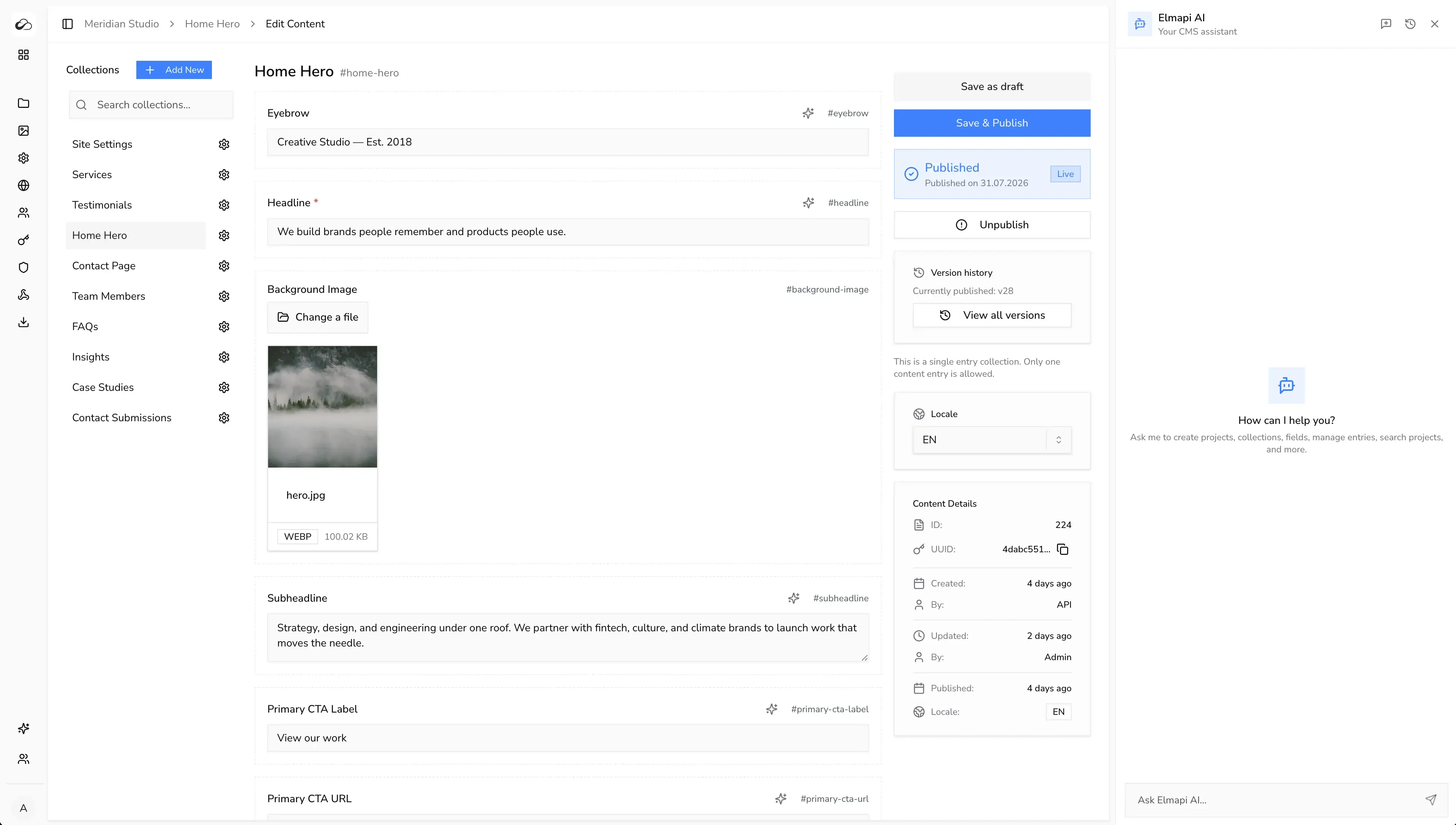
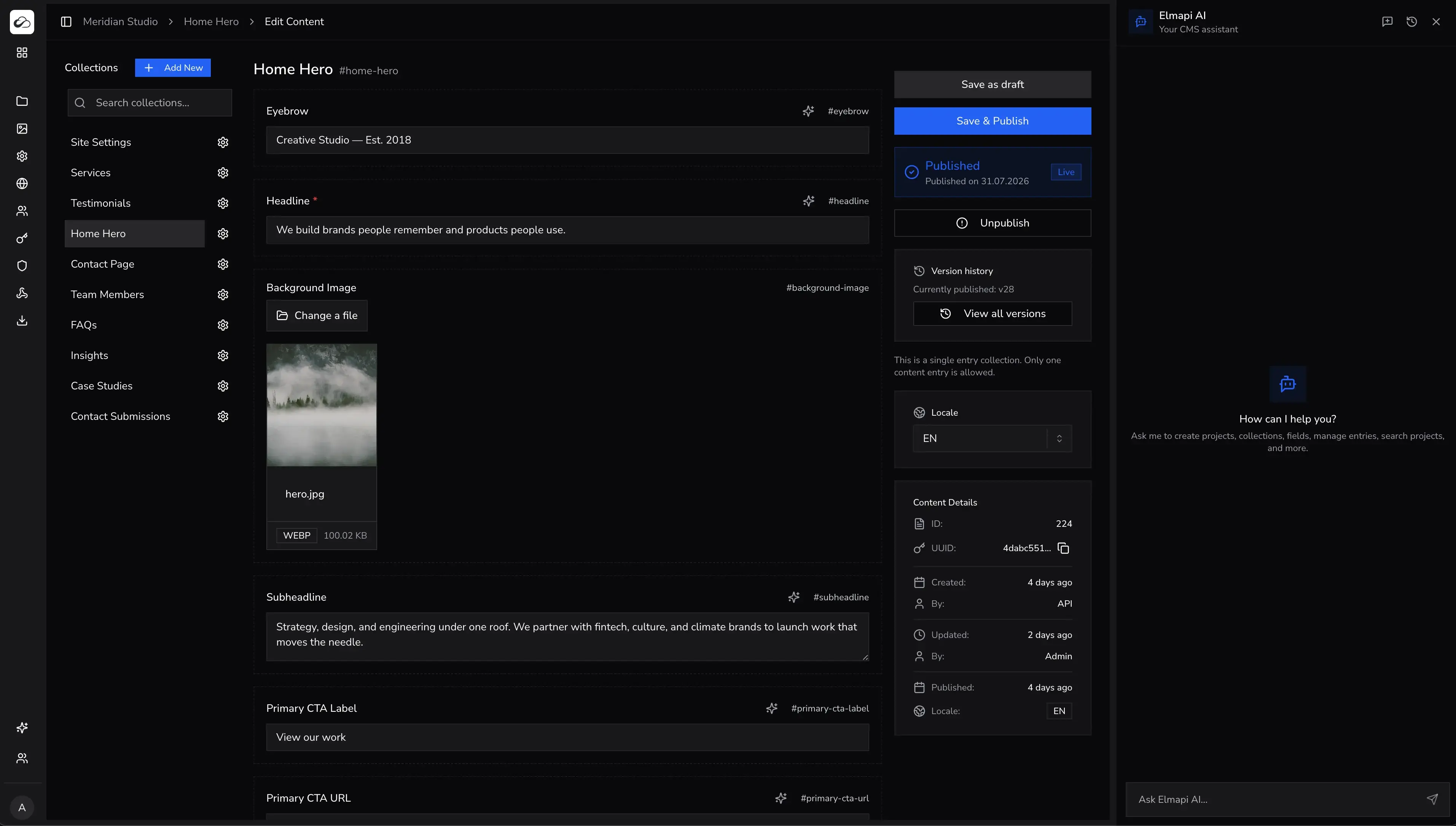
Strong fit for teams that want AI features inside the CMS and in the editor workflow. ElmapiCMS 4.0 runs on Laravel 13 (PHP 8.4+) with built-in assistant and translation tools plus an official MCP server for Cursor and Claude Code.
- Strengths: built-in AI tools, one-click translation, official MCP, multi-project architecture, $74 one-time payment.
- Trade-off: teams must be comfortable with self-hosting patterns.
See pricing · Live demo · AI product overview
2. NomaCMS
NomaCMS is a managed, AI-native headless CMS. You get structured content, a REST API, a JavaScript SDK, and AI for writing, translation, and editing without running a CMS server. Connect Cursor, Claude Code, or other MCP-compatible tools with the Noma MCP server.
- Managed cloud with global CDN for assets and no server ops
- AI assistant, inline field actions, and one-click entry translation
- MCP server for AI editors (
npx -y @nomacms/mcp-server) - Project auth, webhooks, locales, and team workspaces on paid plans
Pricing: Plans start at $15 per month after a 7-day free trial. See nomacms.com · Start free trial
Best for: teams that want hosted AI-first workflows, not a self-hosted install.
3. Payload CMS
Great for TypeScript-first, code-first teams. AI can generate config and integrations quickly, but non-technical editorial workflows can require additional process.
- Strengths: code-first schema control, strong TS ergonomics.
- Trade-off: fewer out-of-the-box editorial AI workflows.
4. Strapi
Broad ecosystem and familiar patterns help AI-assisted coding, especially for teams with existing Strapi experience. AI features are often assembled via plugins and integrations.
- Strengths: ecosystem breadth, many examples for AI-assisted coding.
- Trade-off: AI stack consistency varies across plugins and versions.
5. Directus
Good option for SQL ownership and custom data models. AI workflows are viable but tend to involve more setup and query complexity.
- Strengths: data ownership and SQL-first control.
- Trade-off: higher complexity floor for teams new to data-heavy setups.
6. Sanity
Strong for editorial teams that need polished collaboration workflows. AI effectiveness depends on your configured integrations and editorial processes.
7. Contentful
Enterprise-friendly with mature governance and integration ecosystem. Best when support, compliance, and platform stability outweigh cost concerns.
8. Hygraph
GraphQL-native workflows can be productive for AI-assisted teams already committed to GraphQL patterns across services.
9. Storyblok
Component-driven content editing and cloud-first workflows fit teams prioritizing editorial UX and visual composition.
10. Ghost
Publishing-focused teams can move quickly with simpler structures and newsletter-oriented workflows, though broader app modeling flexibility is lower.
11. Prismic
Slice-based modeling can work well for repeated page patterns, with AI helping generate and normalize content for those reusable sections.
AI Feature Comparison Table
| CMS | Built-in AI | Translation | MCP/Editor Fit | Ops Overhead | Best For |
|---|---|---|---|---|---|
| ElmapiCMS | Strong built-in tooling | One-click workflow | Official MCP support | Low | Agencies, AI-first self-host teams |
| NomaCMS | Strong built-in tooling | One-click workflow | Official MCP support | Low | Teams wanting managed AI CMS plus MCP |
| Payload | Primarily integration-based | Integration/plugin dependent | Code-first AI workflows | Medium | TS-heavy engineering teams |
| Strapi | Plugin/integration approach | Integration/plugin dependent | Good via code generation | Medium-High | General-purpose CMS teams |
| Directus | Integration approach | Workflow setup required | Medium fit | Medium | SQL-first organizations |
| Sanity | Vendor feature mix varies | Strong localization ecosystems | Cloud/editor focus first | Low-Medium | Large editorial teams |
| Contentful | Vendor feature mix varies | Strong localization ecosystems | Cloud/editor focus first | Low-Medium | Enterprise governance-heavy teams |
| Hygraph | Integration approach | Strong localization support | Good for GraphQL teams | Medium | GraphQL-native organizations |
| Storyblok | Vendor feature mix varies | Localization capable | Cloud/editor first | Low-Medium | Visual component-driven teams |
| Ghost | Light integration approach | Basic workflow support | Moderate fit for content ops | Low | Publishing and newsletters |
| Prismic | Integration approach | Localization capable | Moderate fit | Low-Medium | Large editorial teams |
Deep Comparison by Capability
Translation Workflows
AI translation quality is not just about language output. It is about preserving structure, linking locale variants, and avoiding slug collisions. Teams that publish in multiple locales should validate these workflow details before selecting a platform.
Content Generation and Rewriting
The most useful systems support field-aware actions directly in the entry editor. If users must copy content into external tools repeatedly, adoption usually drops after the first month.
Schema-Aware Development
AI coding speed depends heavily on schema clarity. CMS platforms with predictable APIs and readable field models reduce hallucinations in generated integration code.
Governance and Safety
Enterprise teams should review token scoping, audit logs, and publish permissions before enabling broad AI-powered operations.
Best Choice by Team Type
- Agency with multiple client projects and self-hosting: ElmapiCMS.
- Agency that wants managed hosting and MCP: NomaCMS.
- TypeScript product team: Payload.
- Ecosystem-first team: Strapi.
- Enterprise editorial process: Sanity or Contentful.
- GraphQL-native stack: Hygraph.
- Publishing-only workflow: Ghost.
AI Editor Integration (Cursor/Claude)
If your dev team works directly in AI editors, evaluate not just API quality but how much friction exists between prompt and production. Tool-calling workflows generally reduce glue code, improve repeatability, and shorten onboarding time.
For this reason, editor integration can outweigh feature parity on paper. Teams that ship daily often choose the CMS that minimizes context switching first.
How to Run a 14-Day Evaluation
If you are deciding between 2-3 platforms, run a short benchmark with identical tasks:
- Create one blog-like schema with relations and localization.
- Generate 20 sample entries and translate 5 of them.
- Implement list + detail pages with typed mappers.
- Apply one schema change and update frontend integration.
- Measure elapsed time, defects, and team feedback.
This reveals real delivery speed better than feature checklists.
Common Mistakes to Avoid
- Choosing based only on AI marketing demos without testing schema-change scenarios.
- Ignoring editor integration and then paying hidden cost in context switching.
- Letting UI components consume raw CMS payloads without typed normalization.
- Skipping governance planning for AI-generated content quality and permission control.
Related AI CMS Guides
Conclusion
The best AI headless CMS is the one that keeps your team shipping quickly without introducing process debt. If you want built-in AI content tools and direct editor workflow integration, ElmapiCMS is a strong self-hosted choice in 2026 ($74 once), and NomaCMS is a strong managed choice with the same MCP story. If you want the product-level walkthrough behind that ranking, continue with the AI feature overview.