Vue developers have unique needs. You want a CMS that works naturally with the Composition API, plays nice with useFetch and useAsyncData, and doesn't force React patterns onto your Vue codebase. Let's find the right fit.
Nuxt 4 CMS Requirements
Not every headless CMS is created equal for Nuxt. Here's what actually matters:
Server-Side Rendering Compatibility
Nuxt's power comes from hybrid rendering. Your CMS SDK should work in both server and client contexts without hydration mismatches. Some CMSs have SDKs that assume browser-only execution and break during SSR.
Composable-Friendly API
The Composition API is central to Vue 3 and Nuxt 4. You want a CMS client that fits naturally into composables, not one that fights against the pattern.
Integration with useFetch/useAsyncData
Nuxt's data fetching composables handle caching, hydration, and error states. Your CMS should integrate cleanly with these rather than requiring custom solutions.
Nitro/Edge Support
Nuxt 4 can deploy to edge functions via Nitro. Your CMS API calls should work in edge environments without Node.js-specific dependencies.
1. ElmapiCMS
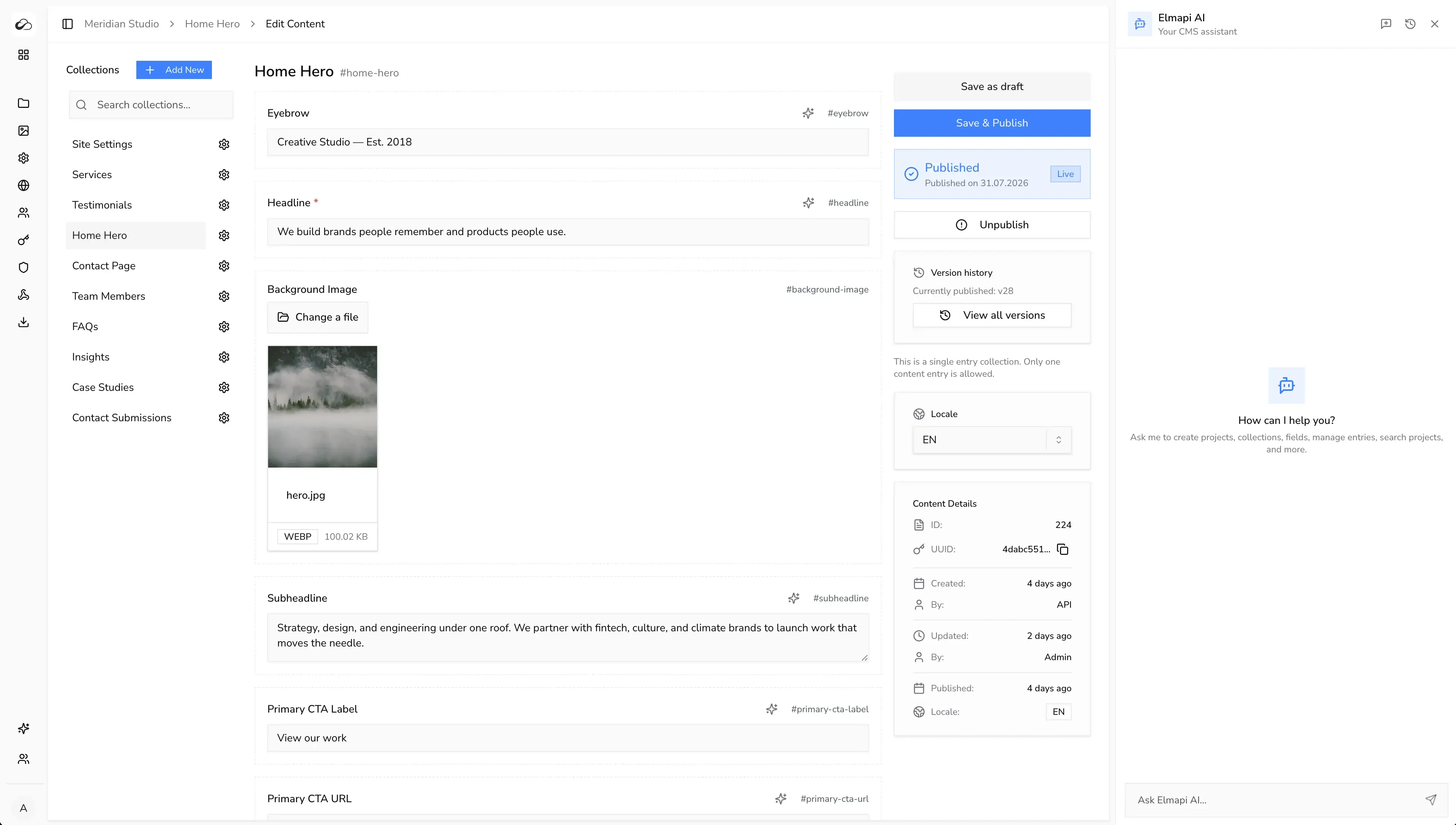
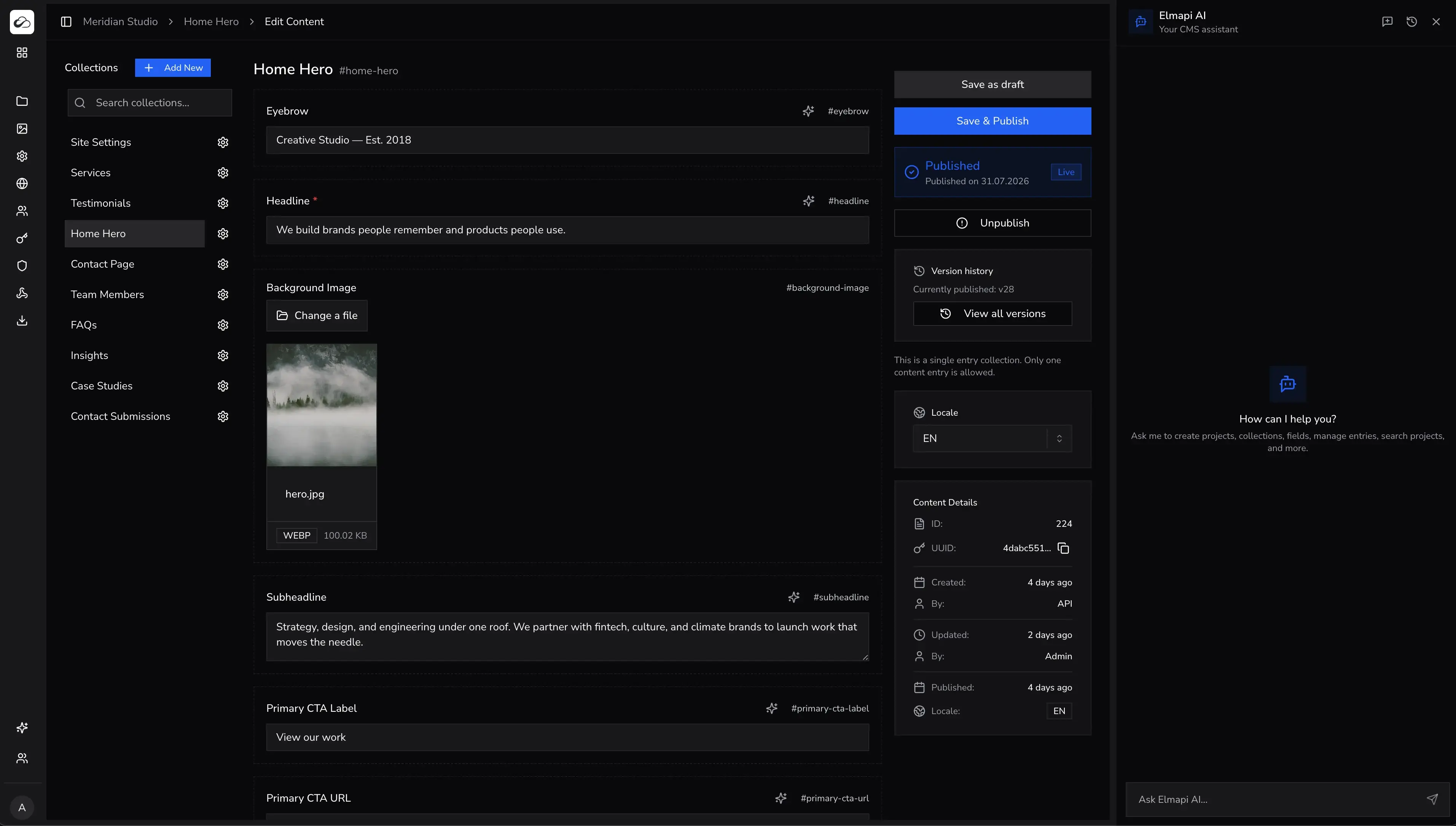
ElmapiCMS is a self-hosted headless CMS on Laravel 13 and React. It needs PHP 8.4+. Its REST API fits Nuxt useAsyncData and server routes. Keep the project API token in server-only runtime config, not public.
What ships in 4.0
- Draft and publish, content versioning, and locales
- Asset library with WebP images, crop tools, and optional S3 direct upload
- Built-in AI tools and an official MCP server for Cursor and Claude Code
- Authentication for frontend (signup, sign-in, refresh)
- Frontend templates for Next.js, Nuxt, and Astro (including the Cove Nuxt starter)
- Webhooks, JS/TS SDK, and project API tokens
Nuxt 4 integration
Create a server-side client, then fetch published entries through useAsyncData or a Nitro API route.
// server/utils/elmapi.ts
import { createClient } from '@elmapicms/js-sdk';

export function useElmapiServer() {
  const config = useRuntimeConfig();
  return createClient({
    baseUrl: config.elmapiBaseUrl,
    projectId: config.elmapiProjectId,
    apiKey: config.elmapiApiKey,
  });
}
// composables/useBlogPosts.ts
export function useBlogPosts() {
return useAsyncData('blog-posts', async () => {
const res = await $fetch('/api/posts');
return Array.isArray(res) ? res : res.data;
});
}// server/api/posts/index.get.ts
export default defineEventHandler(async () => {
const client = useElmapiServer();
return client.content.list('blog-posts', {
state: 'published',
sort: 'published_at:desc',
paginate: 50,
page: 1,
});
});<!-- pages/blog/index.vue -->
<script setup lang="ts">
const { data: posts, pending, error } = await useBlogPosts();
</script>
<template>
<div>
<h1>Blog</h1>
<div v-if="pending">Loading...</div>
<div v-else-if="error">Error loading posts</div>
<div v-else>
<article v-for="post in posts" :key="post.uuid">
<NuxtLink :to="`/blog/${post.fields.slug}`">
<h2>{{ post.fields.title }}</h2>
</NuxtLink>
<p>{{ post.fields.excerpt }}</p>
</article>
</div>
</div>
</template>Why choose ElmapiCMS for Nuxt
- Works with useAsyncData – REST API integrates cleanly via Nitro routes
- Multi-project from one installation – manage multiple Nuxt sites from one backend
- $74 one-time pricing – no monthly fees as traffic grows
- Official Nuxt templates – start from a working site, not a blank SDK call
- MCP server – model collections from Cursor or Claude Code
Pricing: $74 one-time payment. See pricing · Live demo
Best for: agencies building multiple Nuxt sites, developers who prefer self-hosting, and projects that need predictable costs.
2. NomaCMS
NomaCMS is a managed, AI-native headless CMS. You get structured content, a REST API, a JavaScript SDK, and AI for writing, translation, and editing. Ship to Nuxt, Next.js, Astro, or other stacks without running your own CMS server. Connect Cursor, Claude Code, or other MCP-compatible tools with the Noma MCP server.
Why consider NomaCMS
- Managed cloud with global CDN for assets and no server ops on your side
- AI assistant, inline field actions, and one-click entry translation
- REST API and SDK with predictable shapes for
useFetchanduseAsyncData - MCP server for AI editors (
npx -y @nomacms/mcp-server) - Project auth, webhooks, locales, and team workspaces on paid plans
Pricing: Plans start at $15 per month after a 7-day free trial. See nomacms.com · Start free trial
Best for: Vue teams that want a hosted CMS with AI-first workflows and delivery infrastructure included, not a self-hosted install.
3. Storyblok
Storyblok is a cloud CMS with first-class Nuxt support. They have an official Nuxt module and visual editor integration.
Nuxt 4 Integration
// nuxt.config.ts
export default defineNuxtConfig({
  modules: ['@storyblok/nuxt'],
  storyblok: {
    accessToken: process.env.STORYBLOK_TOKEN,
  },
});
<script setup lang="ts">
const story = await useAsyncStoryblok('home', { version: 'draft' });
</script>
<template>
<StoryblokComponent v-if="story" :blok="story.content" />
</template>Pros
- Official Nuxt module with deep integration
- Visual editor for content teams
- Component-based content modeling
- Good documentation for Nuxt
Cons
- Usage-based pricing can be expensive
- Cloud-only, no self-hosted option
- Learning curve for the visual editor system
Pricing
Free tier available. Paid plans from $99/month.
4. Strapi
Strapi is the most popular open-source headless CMS. It has a large community of Vue/Nuxt users.
Nuxt 4 Integration
// composables/useStrapi.ts
export function useStrapiPosts() {
  const config = useRuntimeConfig();

  return useFetch<{ data: Post[] }>('/api/posts', {
    baseURL: config.public.strapiUrl,
    headers: {
      Authorization: `Bearer ${config.strapiToken}`,
    },
    query: {
      populate: '*',
      sort: 'publishedAt:desc',
    },
  });
}
Pros
- Open source with large community
- Flexible content modeling
- GraphQL and REST APIs
- Many Nuxt examples available
Cons
- High memory usage (4GB+ recommended)
- No native multi-project support
- Complex deployment and updates
- Response format requires data extraction
Pricing
Open source (free). Strapi Cloud from $18/project/month.
5. Directus
Directus wraps around your database and provides an API layer. Good choice if you have existing data.
Nuxt 4 Integration
// plugins/directus.ts
import { createDirectus, rest } from '@directus/sdk';

export default defineNuxtPlugin(() => {
  const config = useRuntimeConfig();

  const directus = createDirectus(config.public.directusUrl)
    .with(rest());

  return {
    provide: {
      directus,
    },
  };
});
Pros
- Works with existing SQL databases
- No vendor lock-in for data
- Real-time subscriptions
- Open source
Cons
- SDK has learning curve
- More complex initial setup
- Can be overkill for simple sites
Pricing
Open source (free). Cloud plans available.
6. Sanity
Sanity is known for its real-time collaboration features. It works with Nuxt though the integration is less native than with React.
Nuxt 4 Integration
// composables/useSanity.ts
import { createClient } from '@sanity/client';

const client = createClient({
  projectId: 'your-project-id',
  dataset: 'production',
  useCdn: true,
  apiVersion: '2024-01-01',
});

export function useSanityPosts() {
  return useAsyncData('posts', () =>
    client.fetch(`*[_type == "post"] | order(publishedAt desc)`)
  );
}
Pros
- Real-time collaboration
- Powerful query language (GROQ)
- Good image handling
- Generous free tier
Cons
- GROQ learning curve
- Less first-party Nuxt support than React
- Usage-based pricing at scale
Pricing
Free tier available. Growth plan from $15/user/month.
7. Prismic
Prismic offers a Nuxt module with slice-based content modeling. Good for page builder-style content.
Nuxt 3 Integration
// nuxt.config.ts
export default defineNuxtConfig({
  modules: ['@nuxtjs/prismic'],
  prismic: {
    endpoint: 'your-repo-name',
  },
});
Pros
- Official Nuxt module
- Slice-based content modeling
- Good preview support
- Affordable pricing
Cons
- Slice system has learning curve
- Query API is proprietary
- Cloud-only
Pricing
Free for one user. Paid plans from $15/month per repository.
Comparison Table
| Feature | ElmapiCMS | NomaCMS | Storyblok | Strapi | Directus | Sanity |
|---|---|---|---|---|---|---|
| Nuxt 4 Support | Yes | Yes | Excellent | Yes | Yes | Yes |
| Official Nuxt Module | SDK + templates | No (SDK) | Yes | Community | No (SDK) | No (SDK) |
| Self-Hosted | Yes | No (cloud) | No | Yes | Yes | Limited |
| Multi-Project | Yes | Yes (plans) | No | No | No | No |
| Visual Editor | No | AI-assisted | Yes | No | No | Partial |
| i18n Built-in | Yes | Yes | Yes | Yes | Yes | Yes |
| Starting Price | $74 once | From $15/mo | $99+/mo | Free (OSS) | Free (OSS) | $15+/mo |
Complete Nuxt Integration Example
Here's a full example of setting up ElmapiCMS with Nuxt 4:
1. Configure Environment
// nuxt.config.ts
export default defineNuxtConfig({
  runtimeConfig: {
    elmapiApiKey: process.env.ELMAPI_API_KEY,
    elmapiBaseUrl: process.env.ELMAPI_BASE_URL,
    elmapiProjectId: process.env.ELMAPI_PROJECT_ID,
  },
});
2. Create CMS Composable
// composables/useCms.ts
export function usePosts() {
  return useAsyncData('posts', async () => {
    const res = await $fetch('/api/posts');
    return Array.isArray(res) ? res : res.data;
  });
}

export function usePost(slug: MaybeRef<string>) {
  const resolvedSlug = toValue(slug);
  return useAsyncData(`post-${resolvedSlug}`, () =>
    $fetch(`/api/posts/${resolvedSlug}`)
  );
}
3. Build Your Pages
<!-- pages/blog/index.vue -->
<script setup lang="ts">
const { data: posts, pending } = await usePosts();

useSeoMeta({
  title: 'Blog',
  description: 'Latest articles and tutorials',
});
</script>

<template>
  <div class="container mx-auto px-4 py-8">
    <h1 class="text-3xl font-bold mb-8">Blog</h1>

    <div v-if="pending" class="animate-pulse">Loading...</div>

    <div v-else class="grid gap-6 md:grid-cols-2">
      <article v-for="post in posts" :key="post.uuid" class="border rounded-lg p-6">
        <NuxtLink :to="`/blog/${post.fields.slug}`">
          <h2 class="text-xl font-semibold hover:text-primary">
            {{ post.fields.title }}
          </h2>
        </NuxtLink>
        <p class="mt-2 text-gray-600">{{ post.fields.excerpt }}</p>
      </article>
    </div>
  </div>
</template>
<!-- pages/blog/[slug].vue -->
<script setup lang="ts">
const route = useRoute();
const { data: post, error } = await usePost(route.params.slug as string);
if (error.value || !post.value) {
throw createError({ statusCode: 404, message: 'Post not found' });
}
useSeoMeta({
title: post.value.fields.title,
description: post.value.fields.excerpt,
});
</script>
<template>
<article class="container mx-auto px-4 py-8 max-w-3xl">
<h1 class="text-4xl font-bold mb-4">{{ post.fields.title }}</h1>
<div class="prose prose-lg" v-html="post.fields.content" />
</article>
</template>Conclusion
For Nuxt developers, the right CMS depends on your priorities:
Choose ElmapiCMS if: You want self-hosted simplicity, manage multiple Nuxt sites, or need predictable one-time pricing. The REST API works naturally with Nuxt's data fetching.
Choose NomaCMS if: You want managed cloud with AI tooling and MCP, without running a CMS server.
Choose Storyblok if: Your content team needs visual editing and you have budget for their pricing.
Choose Strapi if: You want open source with a large community. Be prepared for higher server requirements.
Choose Directus if: You have an existing database or need maximum data control.
For agencies and developers building multiple Nuxt projects, ElmapiCMS offers the best combination of simplicity, multi-project management, and cost efficiency. One installation, one update process, unlimited Nuxt sites.